
Alligator Infosoft

Odoo 19 modules explained accounting, crm, inventory & more
Blog, odoo

Odoo 19 Modules Explained: Accounting, CRM, Inventory & More

Summary: Odoo 19 is the latest version of the all-in-one ERP platform designed to help businesses manage operations efficiently from a single system. With powerful modules such as Accounting, CRM, Inventory, Sales, HR, Manufacturing, and eCommerce, Odoo 19 enables organizations to automate workflows, reduce operational costs, and improve decision-making. This detailed guide explains the core Odoo 19 modules, their features, and how they benefit modern businesses. In an era where digital transformation defines business success, companies can no longer rely on disconnected tools to manage their operations. They need a centralized, scalable, and intelligent system that connects every department seamlessly. Odoo 19 delivers exactly that. Odoo 19 comes with enhanced performance, improved automation, better reporting capabilities, and a refined user interface. Its modular structure allows businesses to start with essential applications and expand as their needs grow. Whether you are a startup, a growing SME, or an enterprise-level organization, Odoo 19 adapts to your business model effortlessly. This blog provides a complete explanation of the most important Odoo 19 modules, including Accounting, CRM, Inventory, and more, helping you understand why Odoo 19 is a preferred ERP solution worldwide. Odoo 19 Modules Overview Odoo 19 follows a modular ERP approach, meaning businesses can select only the applications they need. All modules are fully integrated, ensuring smooth data flow across departments without duplication or manual effort. Accounting Module in Odoo 19 The Accounting module in Odoo 19 simplifies financial management with advanced automation and real-time insights. Key Features of Odoo 19 Accounting Automated customer invoicing and vendor bill management Real-time profit and loss statements Bank synchronization and reconciliation Tax configuration and compliance support Multi-currency and multi-company accounting Benefits for Businesses Odoo 19 Accounting reduces manual accounting tasks, improves accuracy, and ensures compliance. Finance teams gain complete visibility into cash flow and financial performance. CRM Module in Odoo 19 The CRM module helps businesses manage leads, nurture prospects, and close deals efficiently. Key Features of Odoo 19 CRM Visual sales pipeline with drag-and-drop stages Automated lead assignment and follow-ups Email integration and activity tracking Sales forecasting and performance reports Why CRM Matters Odoo 19 CRM centralizes customer interactions, helping sales teams improve conversion rates and build stronger relationships. Inventory Module in Odoo 19 The Inventory module ensures precise stock management and optimized warehouse operations. Key Features of Odoo 19 Inventory Real-time inventory tracking Barcode scanning and warehouse automation Multi-warehouse and multi-location management Automated replenishment rules Lot and serial number tracking Business Impact With Odoo 19 Inventory, businesses can reduce stockouts, avoid excess inventory, and improve order fulfillment accuracy. Sales Module in Odoo 19 The Sales module connects directly with CRM, Accounting, and Inventory for seamless order processing. Key Features of Odoo 19 Sales Quotation and sales order management Automated invoicing and payments Subscription and recurring billing Upselling and cross-selling recommendations Advantages for Sales Teams Odoo 19 Sales accelerates the order-to-cash cycle and enhances customer satisfaction through faster response times. Purchase Module in Odoo 19 The Purchase module helps businesses manage suppliers, procurement, and purchasing decisions efficiently. Key Features of Odoo 19 Purchase Vendor management and price lists Automated purchase order generation Purchase analytics and reports Integration with Inventory and Accounting This module ensures better supplier coordination and cost control. Manufacturing Module in Odoo 19 The Manufacturing (MRP) module is ideal for businesses involved in production and assembly. Key Features of Odoo 19 Manufacturing Bill of Materials (BoM) management Production planning and scheduling Work order tracking Quality checks and maintenance planning Manufacturers can improve productivity, reduce waste, and maintain consistent product quality. Human Resources Module in Odoo 19 The HR module manages the complete employee lifecycle. Key Features of Odoo 19 HR Employee records and contracts Attendance, leave, and payroll management Recruitment and onboarding tools Performance evaluations Odoo 19 HR reduces administrative workload and improves employee engagement. Project Management Module in Odoo 19 The Project module enables teams to plan, track, and deliver projects efficiently. Key Features of Odoo 19 Project Task and milestone management Time tracking and billing Team collaboration tools Project performance analytics This module is especially useful for service-based businesses and IT companies. Website and eCommerce Module in Odoo 19 Odoo 19 also includes built-in Website and eCommerce modules, eliminating the need for third-party platforms. Key Features Drag-and-drop website builder SEO-friendly structure Integrated online store management Payment gateway and shipping integrations Businesses can manage their website, online sales, and backend operations from a single dashboard. Why Choose Odoo 19 for Your Business Odoo 19 stands out as a flexible and cost-effective ERP solution. Key Advantages of Odoo 19 All-in-one integrated business management platform Modular and scalable architecture User-friendly interface Advanced automation and reporting Suitable for startups, SMEs, and enterprises By adopting Odoo 19, organizations can streamline operations, improve collaboration, and make data-driven decisions. Key Takeaways and Final Thoughts Odoo 19 offers a powerful combination of Accounting, CRM, Inventory, Sales, HR, Manufacturing, and eCommerce modules within a single ERP ecosystem. Its modular design allows businesses to scale effortlessly while maintaining operational efficiency. With enhanced automation, real-time analytics, and seamless integration, Odoo 19 helps organizations stay competitive and future-ready. If you are looking for a future-ready ERP solution, Odoo 19 is an excellent choice, especially when implemented by the best Odoo development company in India to ensure long-term success and optimal performance. Partner with Alligator Infosoft for Odoo 19 Success Choosing the right implementation partner is just as important as choosing the right ERP. Alligator Infosoft provides end-to-end Odoo 19 services, including consultation, implementation, customization, integration, and ongoing support. As the best Odoo development company in India, Alligator Infosoft helps businesses unlock the full potential of Odoo 19 by delivering tailored ERP solutions that align with business goals.Connect with Alligator Infosoft today and transform your business operations with Odoo 19. FAQs What is Odoo 19 used for? Odoo 19 is used to manage business operations such as accounting, sales, CRM, inventory, HR, manufacturing, and eCommerce through a unified ERP system. Is Odoo 19 suitable for small businesses? Yes, Odoo 19 is highly suitable

Odoo 19 hr & payroll module – what’s new for employee management
Blog, odoo

Odoo 19 HR & Payroll Module – What’s New for Employee Management

Summary: Odoo 19 introduces major upgrades to the HR and Payroll modules, including unified employee and contract data, simplified pay-run processing, improved attendance and leave management, enhanced compliance support, and AI-powered HR workflows. These improvements significantly reduce manual work, boost accuracy, enhance transparency, and streamline end-to-end employee management for businesses of all sizes. Managing HR operations — employee onboarding, attendance, payroll, time-off tracking, and compliance — often requires juggling multiple disconnected tools. This creates inefficiencies, errors, and delays. Odoo 19 solves these problems by offering a unified HR & Payroll system that automates processes, centralizes employee data, and improves visibility for both HR teams and employees. Let’s explore what’s new in Odoo 19 HR and Payroll and how it can transform employee management for modern organizations. What’s New in Odoo 19 HR & Payroll? Unified Employee & Contract Records Odoo 19 merges employee profiles and contract history into a single unified record. This gives HR teams a timeline view of promotions, salary revisions, transfers, and role updates — improving clarity and auditability. Every update creates a new version automatically, ensuring complete transparency throughout the employee lifecycle. Streamlined Payroll with “Pay Runs” Payroll has been significantly modernized. The old “payroll batches” are now replaced with “Pay Runs,” offering a guided workflow that automatically pulls data from attendance, timesheets, time-off, overtime, and work entries.This reduces manual calculations, minimizes payroll errors, and ensures consistent and compliant salary disbursements. Improved Time-Off & Attendance Integration The new Time-Off module offers a cleaner dashboard with easier request handling, support for overlapping leave entries, and automatic holiday recognition based on region. Attendance, leave, work entries, and timesheets are now tightly integrated, allowing payroll to run smoothly using real-time employee performance and working hours data. Better Employee Self-Service Portal Odoo 19 gives employees more autonomy. The self-service portal lets staff access payslips, salary components, leave balances, attendance logs, and personal information — without contacting HR.The system also supports splitting salary into multiple bank accounts for better financial flexibility. Localization & Statutory Compliance Support Odoo 19 includes enhanced localization features to support regional payroll regulations such as statutory contributions, tax deductions, social security, allowances, bonuses, and overtime rules. This ensures organizations remain compliant whether operating in one region or multiple countries. AI-Powered HR Workflows & Document Management Odoo 19 introduces AI-based document sorting, reminders, tagging, and automated follow-ups. Documents such as contracts, policies, IDs, and onboarding forms can be auto-organized, reducing paperwork burden.AI also assists in meeting management and interviews by transcribing recorded audio, extracting summaries, and linking relevant tasks — increasing HR productivity. Recruitment & Talent Management Enhancements Recruitment gets smarter with Talent Pools, allowing HR teams to group candidates based on skills and suitability, not just job postings. Once hired, candidates are automatically converted to employees, with contracts, access rights, and payroll rules flowing seamlessly into the HR system. Benefits of Upgrading to Odoo 19 HR & Payroll Less manual work, more automation Elimination of payroll errors and improved compliance Improved transparency for employees and HR teams Easy scalability for growing companies Better insights and dashboards for strategic HR decision-making Odoo 19 is not just a UI upgrade — it simplifies and transforms the HR function with better integration, automation, compliance, and data tracking. Why Odoo 19 Is the Future of Employee Management? Odoo 19 provides a future-ready HR and Payroll ecosystem that covers the complete employee lifecycle — hiring, attendance, time off, payroll, compliance, and exits — in one unified platform. By reducing manual work and offering clarity to both HR teams and employees, it enables businesses to run HR operations more efficiently and professionally. If you’re still managing HR and payroll through spreadsheets or outdated systems, Odoo 19 is a powerful step toward digital transformation — smoother operations, happier employees, and better governance. For organizations looking to upgrade or implement Odoo the right way, partnering with the best Odoo development company in India ensures seamless setup, customization, and long-term support. FAQs Can Odoo 19 manage payroll and compliance for different countries including India? Yes, Odoo 19 supports region-specific payroll settings such as statutory deductions, professional tax, social contributions, and regional holiday calendars. Is it difficult to migrate employee and contract data from older Odoo versions? Migration is smooth with proper mapping. Once migrated, the unified employee-contract history system provides a complete timeline of every update. Does payroll calculate correctly when employees have overtime or overlapping leaves? Yes. Odoo 19 supports custom overtime rules, variable pay rates, and overlapping leave entries — all of which roll automatically into payroll. Can employees access their own payslips and attendance data without requesting HR? Yes. The enhanced self-service portal allows employees to download payslips, view leave balances, check attendance logs, and manage personal details. Does Odoo 19 help with storing HR documents like offer letters and contracts? Yes. Odoo 19 includes centralized document management with AI-based auto-sorting, reminders, approvals, and e-signature support.

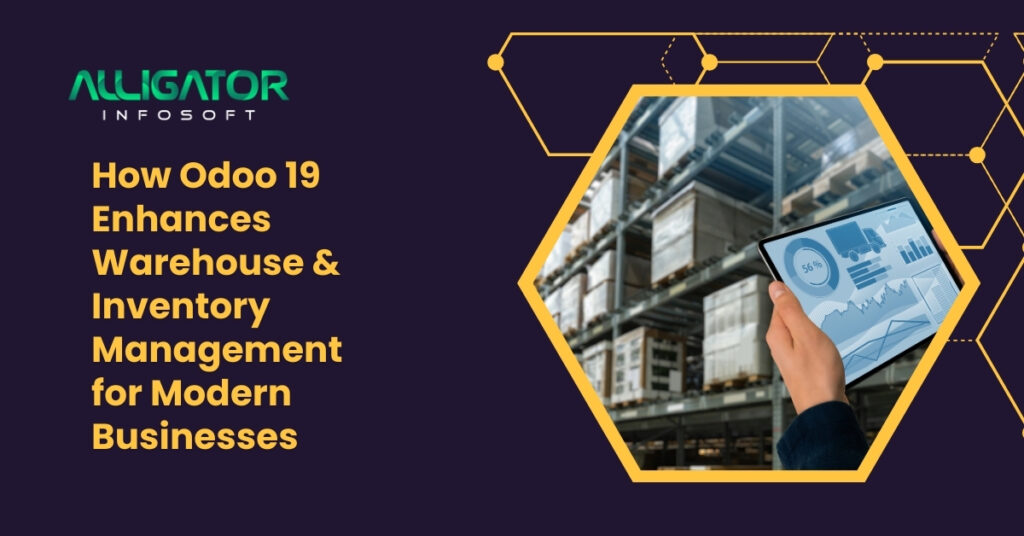
How odoo 19 enhances warehouse & inventory management for modern businesses
Blog, odoo

How Odoo 19 Enhances Warehouse & Inventory Management

Summary: Odoo 19 introduces advanced warehouse and inventory features designed to improve accuracy, reduce operational costs, automate workflows, and accelerate order fulfillment. With real-time tracking, smart replenishment, barcode integration, and seamless multi-warehouse management, Odoo 19 empowers businesses to optimize their supply chain from inbound to outbound logistics—ensuring maximum productivity and customer satisfaction. Efficient warehouse and inventory management is at the heart of every successful business. Whether you run a manufacturing unit, wholesale distribution network, retail brand, or eCommerce store, maintaining accurate stock levels and ensuring timely product movement is essential for profitability. Traditional systems often lead to manual errors, delays, and rising operational costs. This is where Odoo 19, the latest upgraded version of the Odoo ERP, transforms the game. Designed to modernize logistics and supply chain operations, Odoo 19 introduces smarter automation, faster performance, and improved usability—making warehouse and inventory processes seamless and cost-efficient for organizations of all sizes. 1. Real-Time Inventory Visibility and Stock Tracking Odoo 19 allows businesses to track stock levels across multiple locations in real time. Whether items are in transit, in the receiving zone, on shelves, or packaged for shipment, inventory managers get instant insights into product availability and movement. This eliminates guesswork and prevents overstocking or stockouts. With improved dashboards and graphical reporting, decision-makers can analyze trends, seasonal demand, and turnover rates to make smarter purchasing and stocking decisions. 2. Multi-Warehouse and Inter-Warehouse Transfers If your business manages multiple warehouses or fulfillment centers, Odoo 19 brings better control and accuracy. Users can manage multiple storage locations effortlessly, set replenishment rules between warehouses, optimize the distribution of goods based on demand and proximity, and easily create and monitor inter-warehouse transfer orders. These enhancements prevent delays in supply chain execution while reducing transportation and labor costs. 3. Barcode-Driven Accuracy and Speed Manual stock counting and data entry often lead to errors. Odoo 19 solves this by offering seamless integration with barcode scanners. Businesses can manage picking, packing, stock adjustments, warehouse movement tracking, and order validation through barcodes. This automation significantly reduces handling time while improving inventory accuracy—resulting in faster order processing and better customer satisfaction. 4. Smart Replenishment & Demand Forecasting Overstocking blocks working capital, while low stock risks missed sales. Odoo 19’s smart replenishment engine analyzes sales forecasts, historical order data, supplier lead time, and minimum & maximum stock rules. It automatically generates purchase or manufacturing orders to ensure the right stock is always available. Inventory planners can set replenishment triggers based on real-time market demand, seasonal trends, and business strategies. 5. Integrated Supply Chain Operations Odoo 19 creates a unified ecosystem by connecting inventory with sales, purchase, manufacturing, accounting, and eCommerce modules. Once an order is placed, the system reserves stock, schedules picking and packing, initiates delivery workflow, and updates financial and stock valuation records automatically. This eliminates redundant manual operations and creates flawless synchronization across departments. 6. Automated Picking, Packing & Shipping Odoo 19 supports several picking methodologies, including FIFO (First In, First Out), LIFO (Last In, First Out), and FEFO (First Expired, First Out). Automations ensure that the right items are picked based on batch numbers, expiry dates, and stock rotation rules. Enhanced integrations with shipping carriers and logistics solutions allow businesses to generate labels, track shipments, and notify customers—all without switching platforms. 7. Better Inventory Valuation & Financial Insights Warehouse processes and financial accounting have always been deeply connected. Odoo 19 provides smart inventory valuation tools through automatic journal entries, standard, average, or FIFO costing, real-time balance sheet syncing, and landed cost allocation for accurate product costing. This enables complete transparency across procurement, stocking, and revenue operations—making financial audits simpler and more accurate. 8. User-Friendly Interface & Enhanced Mobile App Warehouse teams often require on-the-go accessibility. The upgraded mobile interface in Odoo 19 allows field and warehouse staff to update transfers and pick lists, scan products, confirm deliveries, and view purchase and sales orders. Its intuitive UI reduces training efforts and boosts productivity across logistics teams. Transforming Warehouse Operations with Odoo 19 Odoo 19 brings a powerful blend of automation, accuracy, real-time control, and user-friendliness to warehouse and inventory management. From barcode-based operations to smart replenishment and multi-warehouse tracking, every feature is designed to strengthen supply chain efficiency while maximizing profitability. Whether you’re a growing business or an established enterprise, adopting Odoo 19 can transform how your warehouse operates—improving workflows, reducing operational overhead, and accelerating order fulfillment. Contact the Odoo Experts! Looking to implement or customize Odoo 19 for Warehouse & Inventory Management? Alligator Infosoft specializes in Odoo consulting, implementation, module development, migration, and support. Visit us today or contact our expert team to streamline your warehouse operations with Odoo 19. Grow faster, operate smarter — with Alligator Infosoft. FAQs Can Odoo 19 manage multiple warehouses at different locations? Yes, Odoo 19 supports multi-warehouse management, stock transfers, and automatic replenishment rules across locations. Does Odoo 19 support barcode scanning? Absolutely. Odoo 19 integrates with barcode scanners to automate picking, packing, transfers, and stock adjustments. Can Odoo 19 forecast inventory demand? Yes, it uses historical sales, supplier lead times, and seasonal trends to automate demand forecasting and replenishment. Is Odoo 19 suitable for manufacturing businesses? Yes, the inventory module is fully integrated with MRP, enabling smooth BOM management, production scheduling, and work-order supply. Can Odoo 19 integrate with shipping carriers? Yes, Odoo 19 supports seamless integration with major logistics providers for label generation, shipment tracking, and order notifications.

Odoo 19 for manufacturing new features that boost productivity
Blog, odoo

Odoo 19 for Manufacturing: New Features to Boost Productivity

Summary: Odoo 19 brings a revolutionary shift in manufacturing efficiency with upgraded automation, AI-powered quality control, smart scheduling, improved work order visibility, and IoT integrations. The new enhancements significantly boost productivity, reduce manual tasks, minimize downtime, and enable faster data-driven decisions for manufacturers. The global manufacturing industry is evolving rapidly, demanding higher efficiency, faster production cycles, and improved quality standards. To stay competitive, companies require an ERP system that connects every aspect of production—from planning and procurement to inventory and delivery. Odoo 19 is built to meet these demands, offering a smarter and more automated MRP system than ever before. With improved UI, better data visibility, advanced scheduling, and connected systems, Odoo 19 enables manufacturers to optimize workflows and achieve higher output with reduced operational costs. How Does Odoo 19 Enhance Manufacturing Operations? 1. Smart Production Scheduling Odoo 19 features an upgraded intelligent scheduling engine that optimizes workload distribution across machines, work centers, and labor. Benefits include reduced idle time, faster completion of orders, and superior resource utilization. 2. Enhanced Work Order Interface The modern, tablet-friendly work order dashboard improves shop-floor productivity. Workers can instantly access BOM instructions, machine settings, QC checkpoints, and material consumption data. Barcode scanning compatibility speeds up execution and reduces errors. 3. AI-Powered Quality Control Quality management becomes proactive with AI-driven inspections. Odoo 19 predicts quality failures, suggests preventive actions, and automates corrective alerts. This reduces rework and maintains consistent product quality. 4. Efficient Manufacturing Order (MO) Planning Manufacturing orders now adjust dynamically based on live conditions. Users can automatically modify lead times based on workload, merge or split MOs, and switch suppliers or substitute raw materials. This enables continuous production without bottlenecks. 5. IoT & Machine Connectivity in Real Time Odoo 19 supports deeper connectivity with industrial IoT hardware. It records machine performance instantly, monitors downtime, and triggers predictive maintenance based on data patterns. This leads to faster troubleshooting and extended machine life. 6. Multi-Level BOM Enhancements BOM versioning has been upgraded to support complex manufacturing structures. Users can track multiple BOM revisions, compare versions, and apply changes without interrupting production. Cost calculations update automatically based on component and revision changes. 7. Advanced Material & Inventory Management The enhanced MRP-Inventory integration delivers accurate raw material forecasting, better JIT (Just-in-Time) control, and automated purchase orders for low-stock items. Material availability details are now displayed within MOs, preventing delays. 8. Production Analytics & Real-Time Dashboards Odoo 19 offers production analytics with KPIs such as OEE (Overall Equipment Effectiveness), machine and labor costing, scrap levels, and downtime analysis. Businesses can make informed decisions based on actionable live data. 9. Cross-Department Collaboration Odoo 19 improves collaboration across Manufacturing, Inventory, Maintenance, and Quality teams through real-time message logs and automated workflow alerts. This eliminates communication delays and increases operational transparency. 10. Cloud Speed & Security Enhancements With improved cloud architecture, Odoo 19 offers faster response times for large datasets, increased scalability across plants, and enhanced encryption for secure operations. Manufacturers can rely on the platform for global expansion without performance concerns. A Smarter, Faster, and More Connected Manufacturing Future Odoo 19 empowers manufacturers with deeper automation, live visibility, and seamless digital workflows. By minimizing downtime, improving resource planning, and simplifying quality management, Odoo 19 enables companies to operate with higher productivity at lower costs. For businesses seeking expert ERP deployment, partnering with the best Odoo development company in India ensures seamless customization and maximum ROI across manufacturing operations—even when scaling across regions such as Texas. Frequently Asked Questions (FAQs) Does Odoo 19 support both discrete and process manufacturing? Yes, Odoo 19 supports both with flexible routing and BOM management. Is Odoo 19 suitable for small and medium manufacturing companies? Yes, Odoo 19 is scalable and ideal for SMEs as well as large enterprises. Can Odoo 19 work with barcode scanners on the shop floor? Yes, barcode scanning is supported for work orders, quality checkpoints, and material tracking. Can Odoo 19 be connected to industrial IoT devices? Yes, manufacturers can connect sensors, machines, and PLCs through the Odoo IoT Box. What new features enhance quality control in Odoo 19? AI-based inspection predictions, automated QC triggers, and improved reporting dashboards. Does Odoo 19 offer predictive maintenance features? Yes, predictive maintenance is available through machine data insights and performance monitoring. Can Odoo 19 calculate cost per production batch? Yes, costing includes materials, labor hours, and overhead allocations. Is production data updated in real time? Yes, live dashboards provide up-to-the-minute performance visibility. How does Odoo 19 reduce downtime on the factory floor? Through predictive maintenance, automated scheduling, and IoT-based machine monitoring. Can Odoo 19 integrate with third-party systems? Yes, Odoo provides API and web service integration for MES, CRM, ERP, and custom applications.

Top 10 reasons to choose odoo 19 for your business
Blog, odoo

Top 10 Reasons to Choose Odoo 19 for Your Business

Summary: This blog highlights why Odoo 19 is the best ERP software for modern businesses. It covers its upgraded user interface, AI automation, performance improvements, and seamless integration across departments. The blog features Alligator Infosoft the best Odoo development company — as the ideal choice for Odoo implementation. Running a business today isn’t easy. Between managing sales, inventory, accounts, and customers, most teams struggle to keep everything organized. That’s where smart business management software like Odoo 19 steps in — helping you handle all your operations in one place. Odoo has already earned a name as one of the most popular and powerful ERP systems in the world. With its latest version, Odoo 19, the platform brings even more speed, automation, and user-friendliness to the table. Whether you’re a small business owner or managing a large enterprise, Odoo 19 gives you the tools to work smarter, not harder. Why Should Businesses Choose Odoo 19 in 2025? 1. Modern and Intuitive User Interface Odoo 19 introduces a clean, easy-to-navigate interface designed for everyone — even those with little technical knowledge. The refreshed dashboard, improved visuals, and quick access to reports make daily tasks faster and more enjoyable. Your team can spend less time figuring out the software and more time focusing on productivity. 2. Advanced Automation and AI Features Imagine if your system could handle repetitive tasks automatically — like sending follow-up emails, managing invoices, or updating leads. Odoo 19 makes this possible with new AI-powered automation. It learns your workflows, predicts actions, and performs tasks automatically, helping your team save time and reduce errors. 3. Faster Performance and Scalability No one likes slow software. Odoo 19 runs faster than ever before, with optimized speed and improved database handling. Whether your business has 10 employees or 10,000, Odoo 19 scales effortlessly. It’s built to grow with you, making it perfect for expanding businesses. 4. Enhanced Accounting and Finance Modules Managing finances can be complex, but Odoo 19 simplifies it. From automated journal entries to real-time financial reporting, everything becomes easier and more accurate. Integration with banks and payment gateways ensures smooth transactions, while advanced tools help maintain complete transparency and compliance. 5. Unified Marketing and Sales Tools Odoo 19 connects your sales, CRM, and marketing tools under one roof. You can plan campaigns, track leads, and measure results from a single dashboard. This integration means your marketing team can work hand-in-hand with sales — resulting in better conversions and smarter decision-making. 6. Improved Inventory and Supply Chain Management Odoo 19 gives businesses better control over inventory and logistics. With real-time tracking, barcode scanning, and automatic reordering, it ensures you never run out of stock or over-purchase. Integration with delivery and warehouse systems makes operations smoother and more efficient — ideal for retail, eCommerce, and manufacturing businesses. 7. Seamless Integration Across All Modules One of Odoo’s biggest strengths is how all its apps work together. HR, accounting, CRM, sales, and inventory — every module connects perfectly in Odoo 19. This creates a seamless flow of information across departments and helps eliminate duplicate data. Working with the best Odoo development company ensures these integrations are tailored to your exact business needs. 8. Stronger Security and Data Protection Your business data is priceless. Odoo 19 ensures it stays safe with enhanced security protocols, data encryption, and user access control. It gives you peace of mind knowing your customer and financial information is protected at all times from unauthorized access. 9. Cloud Flexibility and Mobile Optimization In a world where remote work is common, Odoo 19 offers complete cloud flexibility. You can access your system from anywhere — office, home, or while traveling. Plus, it’s fully optimized for mobile devices, so you can manage approvals, check reports, and monitor sales directly from your phone. 10. Cost-Effective and Customizable ERP Solution Traditional ERP systems can be expensive and rigid. Odoo 19 breaks that barrier with an affordable, modular structure. You can start with what you need and expand as your business grows. Its open-source nature means endless customization possibilities — perfect for businesses wanting a tailored ERP without overspending. Empower Your Business with Alligator Infosoft Choosing the right Odoo partner is key to successful ERP implementation. Alligator Infosoft specializes in Odoo ERP customization, migration, consulting, and integration services. Their certified experts ensure you get the best out of Odoo 19 with solutions that perfectly match your business goals. 👉 Ready to take your business to the next level with Odoo 19? Visit Alligator Infosoft today and work with the experts who can transform your operations using the power of Odoo. Frequently Asked Questions (FAQs) What is Odoo 19 used for? Odoo 19 is a complete business management software used to handle accounting, HR, marketing, inventory, and sales from one platform. Is Odoo 19 suitable for small businesses? Yes. Odoo 19 is flexible and affordable, making it a great fit for startups and small to medium-sized businesses. What’s new in Odoo 19 compared to older versions? Odoo 19 offers faster performance, a modern UI, AI-based automation, and better module integration across departments. Can Odoo 19 integrate with third-party applications? Absolutely! Odoo 19 supports integrations with popular tools like payment gateways, eCommerce platforms, and CRM systems. Is Odoo 19 cloud-based? Yes, Odoo 19 offers both on-premise and cloud-based hosting options to suit different business needs. How secure is Odoo 19? It’s very secure, with advanced encryption, two-factor authentication, and user access management features. Does Odoo 19 work on mobile devices? Yes, Odoo 19 is mobile-friendly, allowing you to access your business data anytime and anywhere. What industries benefit most from Odoo 19? Odoo 19 works well for industries like retail, manufacturing, healthcare, education, logistics, and IT. How long does Odoo 19 take to implement? The timeline depends on business size and customization. With help from Alligator Infosoft, the process is fast and efficient.

Odoo 19 accounting new features that simplify financial management
Blog, odoo

Odoo 19 Accounting: New Features & Benefits Guide 2025

Managing finances has never been easier. With the release of Odoo 19, businesses gain access to powerful accounting tools designed to automate workflows, enhance compliance, and provide real-time financial insights. Whether you’re a small business owner or managing a multinational corporation, Odoo 19’s accounting module delivers the features you need to streamline your financial operations. What Makes Odoo 19 Accounting Different? Odoo 19 continues to build on its reputation as a comprehensive, user-friendly accounting solution. This latest version introduces AI-powered automation, improved reconciliation processes, enhanced tax compliance features, and a completely revamped user interface that makes financial management more intuitive than ever. Key Features of Odoo 19 Accounting 1. AI-Powered Document Processing One of the most significant improvements in Odoo 19 is the integration of AI across all accounting workflows. The system now automatically extracts detailed information from bills and invoices, including vendor names, dates, amounts, line items, and taxes. This dramatically reduces manual data entry and minimizes human error. Key benefits: Extract complete invoice details automatically from uploaded documents AI suggests appropriate accounts for entries, eliminating guesswork Select text portions from digitized documents to populate any field on forms Create multiple invoice lines simultaneously by selecting multiple amounts 2. Streamlined Bank Reconciliation Bank reconciliation has traditionally been one of the most time-consuming accounting tasks. Odoo 19 transforms this process with intelligent automation and an enhanced user interface. What’s new: Smarter matching algorithms automatically pair bank statements with journal entries Preview attached documents directly in the bank transaction list view Draft entries can now be reconciled, with automatic moves created as drafts Mobile-optimized interface for reconciliation on the go New Journal Creation Wizard with integrated bank and credit card synchronization 3. Enhanced Tax Compliance and Reporting Tax compliance becomes significantly easier with Odoo 19’s comprehensive tax management features. The system now includes built-in support for fiscal return obligations across multiple jurisdictions. Tax features include: New Tax Return feature with automated validation checks for accurate filings Customizable to meet localization requirements across different regions Full-text search in localized charts of accounts Automatic tax suggestions that factor in deductibility Support for taxable supply dates in countries that require it ISO20022 support for international operations 4. Improved Invoice Management Invoicing workflows have been redesigned to increase efficiency and reduce processing time. The system now handles invoice creation, validation, and payment tracking more seamlessly. Invoice enhancements: Separate display settings for customer invoices and vendor bills New Follow-up Report specifically for overdue invoices Debit note option replaced with a dedicated button for easier access Automated reminders and scheduled invoicing capabilities WhatsApp integration for sending invoice reminders directly to customers Access to Account Report module and Partner Reports for invoicing users 5. Advanced Access Controls and Workflow Management Odoo 19 introduces a sophisticated review system that balances accessibility with financial control. Users with basic invoicing access can create and post invoices, but these are automatically marked as “To review” for accountants with higher access levels. Access control features: Invoicing users can post moves, automatically flagged for accountant review Once reviewed by accountants, invoices cannot be reset by invoicing users Non-restrictive audit trail enabled by default for all users Improved role-based permissions for better data security 6. Real-Time Financial Reporting Financial visibility is crucial for making informed business decisions. Odoo 19 provides real-time updates across all financial reports, giving you instant access to your company’s financial health. Available reports: Balance Sheet, Profit and Loss, and Cash Flow Statement General Ledger, Trial Balance, and Journal Audit Partner Ledger, Aged Receivable, and Aged Payable Executive Summary and Tax Return reports Budget Report and Audit Trail Customizable reports using Odoo’s report engine Composite year-end reports combining multiple statements 7. Multi-Currency and Multi-Company Support For businesses operating internationally or managing multiple entities, Odoo 19 delivers robust multi-currency and multi-company capabilities. Global business features: Automated exchange rate updates for international transactions Automatic currency gains and losses calculations Separate chart of accounts for each company with consolidation options Branch management with centralized parent company reporting Real-time currency tracking with both default and transaction currency values 8. Enhanced Journal Entry Management The journal entry system has been completely revamped for better usability and clarity. Journal improvements: Revamped Journal and Reconciliation Models form views Account descriptions can be added for clarity on usage Default taxes on accounts apply only to invoices and bills, not miscellaneous entries Priority system for suggesting income accounts on invoices and expense accounts on bills Dashboard link for draft entries in miscellaneous journals 9. Year-End Closing Enhancements Year-end processes are now more reliable with additional validation checks and new reporting options. Year-end features: Open On Date feature to check outstanding amounts after financial year-end Additional validation checks for missing roundings or outstanding entries Improved closing procedures ensure accuracy before final closing Annotate draft entries for external accountants and auditors Composite annual reports including balance sheet, profit & loss, and trial balance 10. Improved Inventory Valuation Integration Odoo 19 introduces a completely revamped inventory valuation system that links directly to financial records, making accounting simpler and more consistent. Valuation improvements: Real-time valuation now processed on invoices and bills, not deliveries Direct link between stock valuation and financial records Automatic closing reports for goods delivered but not invoiced Simplified error correction and reversal processes Support for standard price, average price, LIFO, and FIFO methods Industry-Specific Localization Odoo 19 includes enhanced localization packages for over 100 countries, with specific improvements for: Belgium: Annual statement available in XBRL format Integration with CodaClean Belgian VAT declaration submission to Intervat and MyMinFin via API Non-deductible fiscal positions applied by default on purchase receipts India: Enhanced GST compliance Improved GSTR-1 reporting Supply types locked on posting and stored Updated mandatory reports United States: Deeper localization for US tax rules Enhanced 1099 reporting capabilities State-specific tax configurations Benefits for Different User Types For Small Business Owners Simplified setup with intuitive wizards Automated processes reduce need for dedicated accounting staff Real-time visibility into cash flow and profitability Easy invoice creation and payment tracking For Accountants and Bookkeepers Reduced manual

10 game-changing features in odoo 19 you need to know about
Blog, odoo

10 Game-Changing Features in Odoo 19 You Need to Know About

 Odoo 19 represents a significant milestone in enterprise resource planning (ERP) software evolution. Released in 2024, this version introduces transformative features that address real business challenges faced by organizations worldwide. As businesses increasingly demand integrated solutions that enhance productivity and streamline operations, Odoo 19 delivers with intelligent automation, enhanced user experience, and powerful analytics capabilities. This comprehensive guide explores the ten most impactful features that set Odoo 19 apart from its predecessors, demonstrating why industry experts consider it a game-changer for businesses of all sizes. 1. AI-Powered Business Intelligence and Predictive Analytics Enhanced Data-Driven Decision Making Odoo 19 introduces advanced artificial intelligence capabilities that transform raw data into actionable insights. The integrated AI engine analyzes historical patterns, identifies trends, and generates predictive forecasts across all business modules. Key Benefits: Real-time predictive analytics for sales forecasting Automated anomaly detection in financial transactions Intelligent inventory optimization based on demand patterns Customer behavior prediction for targeted marketing The AI dashboard provides executives with intuitive visualizations that highlight critical business metrics, enabling faster and more informed strategic decisions. Companies implementing these features report up to 35% improvement in forecast accuracy and 28% reduction in excess inventory costs. 2. Revolutionary User Interface with Enhanced Customization Modernized Design Philosophy The Odoo 19 interface undergoes a complete redesign focused on user experience and accessibility. The new responsive design adapts seamlessly across devices, while the customizable dashboard allows users to configure their workspace according to individual preferences and roles. Notable Improvements: Drag-and-drop dashboard customization Dark mode support for reduced eye strain Streamlined navigation with intelligent search Mobile-first responsive design Accessibility compliance with WCAG 2.1 standards User adoption rates increase significantly with intuitive interfaces. Organizations report 40% reduction in training time and 50% improvement in user satisfaction scores after upgrading to Odoo 19’s redesigned interface. 3. Advanced Automation Studio for Workflow Optimization No-Code Process Automation The Automation Studio in Odoo 19 empowers business users to create sophisticated automated workflows without programming knowledge. This visual automation builder connects different modules and external applications, creating seamless business processes. Automation Capabilities: Trigger-based actions across multiple modules Conditional logic for complex business rules Integration with third-party applications via APIs Scheduled automation for recurring tasks Email and notification automation Manufacturing companies leverage this feature to automate quality control workflows, while service businesses streamline client onboarding processes. The average organization saves 15-20 hours per week through strategic automation implementation. 4. Intelligent Document Management with OCR Technology Paperless Operations Made Simple Odoo 19’s document management system incorporates optical character recognition (OCR) technology that automatically extracts data from scanned documents, invoices, and receipts. This eliminates manual data entry and significantly reduces processing errors. Document Processing Features: AI-powered data extraction from invoices and bills Automatic categorization and filing Version control and audit trails Advanced search with full-text indexing Digital signature integration Accounting departments particularly benefit from this feature, with invoice processing time reduced by up to 70%. The system learns from corrections, continuously improving accuracy rates over time. 5. Enhanced E-commerce Integration with Omnichannel Support Unified Commerce Experience The e-commerce module in Odoo 19 provides comprehensive omnichannel capabilities, synchronizing online stores, physical locations, and marketplaces into a single unified system. Real-time inventory synchronization prevents overselling while providing customers with accurate availability information. E-commerce Enhancements: Multi-storefront management from single dashboard Real-time inventory synchronization across channels Advanced product configurator for customizable items Integrated payment gateway with multiple providers Customer portal with order tracking and history Retailers using Odoo 19’s omnichannel features report 25% increase in customer satisfaction and 18% improvement in inventory turnover rates. The system handles peak traffic loads efficiently, ensuring consistent performance during high-demand periods. 6. Advanced Project Management with Resource Optimization Comprehensive Project Control Odoo 19 transforms project management with sophisticated resource allocation tools, Gantt chart visualizations, and real-time collaboration features. The integrated timesheet system connects directly with billing and payroll modules, ensuring accurate project costing. Project Management Tools: Interactive Gantt charts with dependency tracking Resource capacity planning and allocation Time and material tracking with mobile apps Milestone-based billing automation Real-time collaboration and file sharing Project-based organizations achieve 30% improvement in resource utilization and 22% reduction in project overruns by implementing Odoo 19’s comprehensive project management suite. 7. Sophisticated CRM with Lead Scoring and Nurturing Sales Process Intelligence The customer relationship management module receives significant enhancements in Odoo 19, including AI-powered lead scoring, automated nurturing campaigns, and predictive pipeline analysis. Sales teams gain visibility into the entire customer journey from initial contact through post-sale support. CRM Innovations: Predictive lead scoring based on engagement patterns Automated email sequences with personalization Social media integration for lead generation Revenue forecasting with confidence intervals Customer lifetime value calculations Sales organizations report 45% increase in conversion rates and 35% shorter sales cycles after implementing Odoo 19’s intelligent CRM features. The system identifies high-value opportunities earlier in the pipeline, enabling strategic resource allocation. 8. Comprehensive Manufacturing Execution System (MES) Smart Manufacturing Operations Odoo 19 introduces a full-featured manufacturing execution system that bridges the gap between planning and production. Real-time shop floor monitoring, quality management integration, and equipment maintenance scheduling optimize manufacturing operations. Manufacturing Features: Real-time production monitoring and tracking Quality checkpoints with automated alerts Preventive maintenance scheduling Work order tablet interface for operators Waste tracking and reduction analytics Manufacturers implementing these features experience 20% improvement in overall equipment effectiveness (OEE) and 15% reduction in quality-related costs. The system provides complete traceability from raw materials to finished products. 9. Advanced Inventory Management with Multi-Warehouse Support Intelligent Stock Optimization The inventory management system in Odoo 19 provides sophisticated tools for managing multiple warehouses, implementing various replenishment strategies, and optimizing stock levels based on demand forecasting and lead times. Inventory Management Capabilities: Multi-warehouse operations with inter-warehouse transfers Barcode scanning and mobile inventory apps Batch and serial number tracking Automated reordering with multiple strategies Consignment stock management Distribution businesses benefit from 25% reduction in carrying costs while maintaining 98%+ service levels. The system automatically suggests optimal reorder points based on historical consumption patterns and lead time variability. 10. Enhanced Financial Management with Multi-Currency Support Global Financial

Odoo 18 vs odoo 19 should you upgrade a complete feature comparison
Blog, odoo

Odoo 18 vs Odoo 19: Should You Upgrade? A Complete Feature Comparison

Summary: Comprehensive comparison between Odoo 18 and Odoo 19 ERP systems, analyzing new features, performance improvements, user interface changes, and upgrade considerations for businesses. Choosing between Odoo 18 and Odoo 19 is a critical decision for businesses looking to optimize their enterprise resource planning (ERP) capabilities. As Odoo continues to evolve, each version brings significant enhancements that can transform how your business operates. This comprehensive comparison examines the key differences, new features, and practical considerations to help you make an informed upgrade decision. With over 15 million users worldwide, Odoo has established itself as a leading open-source ERP solution. Understanding the differences between these versions is essential for maximizing your investment and ensuring your business stays competitive in 2025. Key Differences Between Odoo 18 and Odoo 19 Performance and Speed Improvements Odoo 19 introduces substantial performance optimizations that directly impact daily operations. The latest version features enhanced database query optimization, reducing load times by approximately 30% compared to Odoo 18. This improvement is particularly noticeable in inventory management and accounting modules where large datasets are processed regularly. The new version also implements improved caching mechanisms and streamlined code execution, resulting in faster page rendering and smoother user interactions. Businesses handling high transaction volumes will experience significantly reduced processing times during peak operations. User Interface and Experience Enhancements Modern Design Updates Odoo 19 showcases a refreshed user interface with cleaner layouts and improved navigation. The dashboard customization options have been expanded, allowing users to create more personalized workspaces. The mobile-responsive design has been further refined, ensuring seamless access across all devices. Accessibility Features The latest version prioritizes accessibility with enhanced keyboard navigation, improved screen reader compatibility, and better color contrast ratios. These improvements ensure that Odoo 19 meets modern web accessibility standards (WCAG 2.1), making it more inclusive for all users. Advanced Module Features Sales and CRM Improvements Odoo 19 introduces AI-powered lead scoring that helps sales teams prioritize opportunities more effectively. The enhanced pipeline visualization provides better forecasting capabilities, while the improved quotation builder offers more customization options for complex pricing structures. Inventory and Manufacturing The warehouse management system in Odoo 19 includes advanced barcode scanning capabilities and real-time stock tracking with improved accuracy. Manufacturing orders now feature better dependency management and more flexible work center scheduling, reducing production bottlenecks. Accounting and Finance Automated bank reconciliation has been significantly improved in Odoo 19, with smarter matching algorithms that reduce manual intervention. The multi-currency handling is more robust, and the financial reporting module offers enhanced customization options for compliance requirements. Feature Comparison Table Feature Odoo 18 Odoo 19 Performance Speed Standard 30% faster load times AI Integration Basic automation Advanced AI-powered features Mobile Responsiveness Good Excellent with PWA support Dashboard Customization Limited widgets Extensive widget library API Capabilities RESTful API Enhanced REST + GraphQL Multi-company Support Available Improved with better segregation Third-party Integrations 300+ apps 400+ apps with better sync Security Features 2FA, encryption Enhanced with biometric support Reporting Tools Standard reports Advanced analytics + BI tools Automation Workflows Basic triggers Complex multi-step automation Should You Upgrade to Odoo 19? When Upgrading Makes Sense? Upgrading to Odoo 19 is particularly beneficial if your business: Experiences slow performance with large datasets in Odoo 18 Requires advanced automation to reduce manual tasks Needs better mobile accessibility for field teams Operates across multiple companies requiring stricter data segregation Wants to leverage AI-powered insights for sales and inventory Requires enhanced security features for compliance Considerations Before Upgrading Before committing to the upgrade, evaluate your customizations and third-party integrations. Odoo 19 may require modifications to custom modules developed for Odoo 18. Budget for testing time to ensure all workflows function correctly in the new environment. Consider your team’s capacity for change management. While Odoo 19’s interface improvements are intuitive, training may be necessary to help users maximize the new features. Implementation Best Practices Planning Your Migration A successful upgrade requires thorough planning. Start by creating a complete backup of your Odoo 18 database and documenting all customizations. Test the upgrade in a staging environment before affecting your production system. Engage with experienced Odoo implementation partners such as Alligator Infosoft to evaluate your specific business requirements and proactively identify potential migration challenges. Leveraging professional expertise ensures a seamless transition with minimal operational disruption and optimal alignment of your Odoo environment to your business objectives. Data Migration Strategy Data integrity is paramount during migration. Validate all data mappings, especially for custom fields and modified workflows. Plan the upgrade during low-activity periods to minimize business impact, and prepare rollback procedures in case issues arise. Cost-Benefit Analysis Investment Requirements Upgrading to Odoo 19 involves costs beyond licensing fees. Factor in implementation services, customization updates, training, and potential downtime. However, the performance improvements and enhanced features typically deliver ROI within 6-12 months through increased productivity and reduced manual processes. Long-term Value Odoo 19’s extended support lifecycle and modern architecture ensure your ERP system remains current with evolving business needs. The enhanced security features reduce risk exposure, while improved automation capabilities free your team to focus on strategic initiatives. Ready to Upgrade Your Odoo System? Making the right decision about upgrading to Odoo 19 requires expert guidance tailored to your specific business needs. At Alligator Infosoft, we specialize in seamless Odoo migrations and implementations that maximize your ERP investment. Our certified Odoo consultants provide: Comprehensive upgrade assessments Custom migration strategies Minimal-disruption implementations Post-upgrade support and training Contact us today to schedule a free consultation and discover how Odoo 19 can transform your business operations. Contact Us for Expert Odoo Solutions! Don’t navigate the upgrade process alone. Our team of Odoo experts is ready to help you make an informed decision and execute a flawless migration. Get in touch with Alligator Infosoft: Schedule a personalized demo of Odoo 19 features Receive a customized upgrade roadmap Access ongoing support from certified professionals Start Your Odoo 19 Journey Today → Frequently Asked Questions (FAQs) What is the main difference between Odoo 18 and Odoo 19? Odoo 19 offers approximately 30% better performance, enhanced AI

Odoo version 16 to 18 – major versions updates you should know
Blog

Odoo Version 16 to 18 – Major ERP Versions Updates You Should Know

Odoo has built its name on versatility, scalability, and consistent evolution. From its beginnings as TinyERP to its current status as a comprehensive open-source business suite, Odoo is now a powerhouse trusted by over 7 million users worldwide. If you’ve been using Odoo or are planning to adopt it, the recent updates in versions 16, 17, and the much-anticipated 18 bring changes worth paying attention to. Each version isn’t just about a new coat of paint—it’s about smarter tools, better performance, and more efficient workflows that directly impact your business operations. So whether you’re running a small company or managing a global enterprise, staying updated with the latest Odoo enhancements could mean the difference between average output and outstanding growth. Let’s break down what’s changed, what’s improved, and what you should expect as we move from Odoo 16 to 18. Odoo in Brief: The Power of Modularity Odoo is best known for its modular architecture. Need CRM? There’s a module. Need accounting, project management, marketing automation, HR, manufacturing, or even a website? It’s all there—and it all talks to each other. Unlike rigid traditional ERPs, Odoo lets businesses pick what they need, scale at their own pace, and adapt features to match their processes. Its open-source core offers transparency and flexibility, while the enterprise version offers more advanced tools and enterprise-level support. The beauty of this system is that you don’t have to wait years for major releases. With Odoo’s yearly cadence of updates, users get a continuous stream of performance improvements and game-changing features. What Odoo 16 Delivered (Released October 2022) Odoo 16 was all about performance, clarity, and consolidation. Many long-time users described it as one of the most stable and efficient releases. Massive Speed Improvements Backend operations across multiple modules saw faster response times. Actions like loading dashboards, creating records, and running reports were noticeably quicker—especially for larger databases. The Knowledge App (Think Notion… but Native) Odoo introduced a fully integrated Knowledge app that allowed teams to create, organize, and share internal documentation. Whether it’s SOPs, how-to guides, or onboarding documents—this eliminates the need for external tools like Notion or Confluence. New Website Builder The upgraded website builder brought Bootstrap 5 compatibility, improved drag-and-drop editing, new animations, and more responsive design tools. It also made SEO simpler with better meta tools and structured data features. Streamlined Accounting & Inventory Accounting saw faster reconciliation, better VAT reports, and easier audit trails. Inventory got smarter with batch handling, improved barcode integration, and optimized warehouse routes. Polish and Usability Beyond features, Odoo 16 felt more refined. Navigation was simpler, fields were easier to edit inline, and the overall user experience felt smoother—even for non-technical users. Odoo 17: The UI Overhaul and Functionality Boost (Released November 2023) Odoo 17 marked a turning point—it didn’t just add features; it reimagined how users interact with the platform. For many, this version felt like stepping into a modern SaaS dashboard built for 2025. Visual Refresh: Dark Mode & Smarter UI Users finally got access to a native dark mode, making long hours of ERP work easier on the eyes. Alongside that, menus were simplified, icons were modernized, and responsiveness was improved across devices. Advanced CRM Features Sales teams loved Odoo 17 for its visual pipeline enhancements, AI lead scoring, and new quoting tools. It became easier to track lead interactions, send customized offers, and monitor sales metrics in real time. Point of Sale Rebuilt for Hospitality The POS module received a full redesign with better support for restaurants, cafes, and multi-location businesses. New tools for table management, custom menus, mobile ordering, and tips made it restaurant-ready out of the box. Payroll & HR Made Easier Odoo 17 expanded its local payroll support with pre-built rules for more countries. Employees could manage contracts, leaves, payslips, and expenses with fewer clicks. Built-in Collaboration Tools Collaboration became more real-time. Comments, chats, document editing, and project updates could now happen inside the ERP—reducing the need for Slack or email threads. Better Website + eCommerce Users could build smarter product pages, create custom landing pages, and offer a faster, more intuitive checkout experience. It made competing with tools like Shopify and WooCommerce much easier for small businesses. Odoo 18: Smarter, Faster, and Future-Ready (2024–25) Odoo 18 represents more than just versioning—it’s a clear move toward intelligent automation and deeper business insights. Smart Automation Powered by AI AI is no longer just a buzzword. Odoo 18 includes intelligent suggestions inside CRM, forecasting tools in inventory, and natural language input for creating tasks or searching records. Imagine typing “show me pending invoices from last week” and getting a report—instantly. Seamless Mobile Experience Every module is optimized for mobile, whether you’re tracking leads, logging expenses, or managing warehouse operations on the go. This makes it ideal for field sales teams and managers who work away from their desks. Developer & Low-Code Friendly Odoo Studio has become even more powerful. Businesses can now build custom apps without writing a line of code. For developers, Python 3.12 compatibility and enhanced RESTful APIs allow more complex, enterprise-scale integrations. Data-Driven Dashboards Business owners and decision-makers can now build dashboards that include live KPIs, visual charts, and predictive analytics—powered by machine learning. Expanded Integrations From Google Workspace to DocuSign, and newer payment gateways, Odoo 18 opens up better third-party connections. You no longer need middleware to sync systems or automate workflows. Why You Should Care About Upgrading Odoo doesn’t force upgrades, but staying on older versions means missing out on performance gains, new compliance tools, and security patches. In some cases, staying too long on a legacy version makes future upgrades more complex and expensive. Plus, newer versions often make custom modules unnecessary by including those features natively—saving maintenance and dev costs. Upgrading the Right Way: Tips Before You Switch 1. Audit Your Current Setup – List your modules, third-party apps, and custom developments. Know what could break. 2. Back Up Everything – Always test the upgrade on a cloned instance first. 3. Check Compatibility –

Odoo manufacturing kpis how to build custom reports for efficiency tracking
Blog, odoo

Odoo Manufacturing KPIs: How to Build Custom Reports for Efficiency Tracking

When it comes to manufacturing, the key to sustained growth and profitability lies in efficiency. But how do you track efficiency in a way that drives informed decision-making? That’s where Key Performance Indicators (KPIs) come into play. KPIs are the measurable values that show how effectively a manufacturing operation is achieving its objectives. With the help of Odoo ERP, you can easily track and optimize these KPIs through custom-built reports. This not only boosts operational efficiency but also helps improve profitability. Key Performance Indicators (KPIs) are vital for monitoring production efficiency, reducing downtime, and making data-driven decisions in manufacturing. With Odoo ERP’s powerful reporting and dashboard tools, manufacturers can easily create custom KPI reports tailored to their specific operations. The top KPIs for manufacturing success (OEE, cycle time, downtime, scrap rate, etc.)  How to configure Odoo’s built-in reporting tools for tracking real-time performance  Using Studio and Odoo BI tools to create custom dashboards  Real-world examples of how companies use Odoo to increase production efficiency by up to 35% Whether you’re a production manager or business owner, you’ll learn how to leverage Odoo’s analytics to optimize workflows, reduce waste, and track productivity with precision. In this article, we will explore the important KPIs every manufacturer should track, how Odoo can help track them, and the steps to build custom reports that give you real-time, actionable insights. What Are Manufacturing KPIs? Before diving into custom reports, it’s essential to understand what KPIs are and why they matter. KPIs are measurable values that give insight into how well your manufacturing operations are performing. By tracking the right KPIs, manufacturers can identify potential inefficiencies, streamline processes, and optimize productivity. Manufacturing KPIs fall into several categories. The most common ones track operational performance, quality, and financial health. Some KPIs focus on internal processes, such as machine uptime or cycle times, while others focus on end-product quality, such as defect rates and yield. Here are a few key categories of manufacturing KPIs to get you started: Operational KPIs: These track the efficiency of manufacturing processes, including equipment performance, machine utilization, and downtime.  Quality KPIs: These KPIs track product quality, such as scrap rates, rework rates, and first-pass yield.  Productivity KPIs: These metrics track how much is being produced within a certain period, such as units per hour or cycle time.  Financial KPIs: These KPIs focus on the cost and profitability of manufacturing, including cost per unit, overhead costs, and revenue generated from production. Top Manufacturing KPIs to Track in Odoo Odoo’s Manufacturing module provides a powerful set of tools to help businesses track key performance indicators. But which KPIs should you focus on? Here are some of the most important metrics to monitor for effective efficiency tracking: 1. Overall Equipment Effectiveness (OEE) OEE is a comprehensive KPI that measures the efficiency of manufacturing equipment. It evaluates three primary factors: Availability: How often your equipment is available for production (i.e., not down for maintenance or repairs).  Performance: How fast the equipment is running compared to its maximum speed.  Quality: The proportion of products produced that meet quality standards without needing rework. OEE is calculated as: OEE=Availability×Performance×Qualitytext{OEE} = text{Availability} times text{Performance} times text{Quality}OEE=Availability×Performance×Quality A high OEE indicates your equipment is running at optimal capacity. Tracking this metric through Odoo allows you to identify equipment bottlenecks, maintenance issues, and areas for improvement. 2. Cycle Time Cycle time measures the total time it takes to produce a unit of product, from start to finish. This includes all stages in the production process, from assembly to packaging. The shorter the cycle time, the more units you can produce in a given timeframe. By tracking cycle time in Odoo, you can pinpoint delays in production and identify areas where process improvements can be made. 3. First Pass Yield (FPY) First Pass Yield measures the percentage of products that are manufactured correctly the first time, without requiring any rework or corrections. A high FPY means that your production processes are highly efficient, producing quality goods with minimal waste. Tracking FPY with Odoo’s reports helps you identify any defects in the production process and make necessary adjustments to improve quality and reduce costs. 4. Scrap Rate Scrap rate is the percentage of products that are discarded due to defects, inefficiency, or other issues. A high scrap rate can indicate quality control problems or inefficiencies in the production process. Odoo allows you to track scrap rate in real-time, helping you take corrective actions before waste spirals out of control. This is particularly important for manufacturers who operate in industries where material costs are high. 5. Machine Downtime Machine downtime refers to the amount of time machines are not operational, whether due to maintenance, breakdowns, or other issues. Machine downtime is one of the most significant contributors to inefficiency in manufacturing environments. Odoo’s real-time reporting capabilities allow you to track downtime by machine, production line, or shift, helping you identify trends and take proactive steps to minimize disruptions. 6. Inventory Turnover Inventory turnover measures how quickly materials or goods are used and replaced in your production process. A high turnover rate means your inventory is being efficiently used, and there is minimal excess stock sitting in your warehouse. Tracking this KPI through Odoo can help you optimize inventory levels, reducing holding costs and minimizing stockouts. 7. Work Order Lead Time Work order lead time measures the time taken from receiving a work order to its completion. This includes everything from order processing to assembly and quality checks. Reducing work order lead time is key to improving overall productivity and meeting customer demand on time. Odoo allows you to monitor work order lead times, helping you streamline workflows and prioritize orders more effectively. How Odoo Manufacturing Module Supports KPI Tracking Odoo ERP provides an integrated solution for manufacturing operations, combining various aspects of production, inventory, and quality management into one easy-to-use platform. The Odoo Manufacturing Module comes with several features that make it easier to track KPIs in real time: Built-In Dashboards: Odoo comes pre-loaded with

Scroll to Top